
Help Center
-> 
Routes

Routes

Routes are only available on the Pro plan.

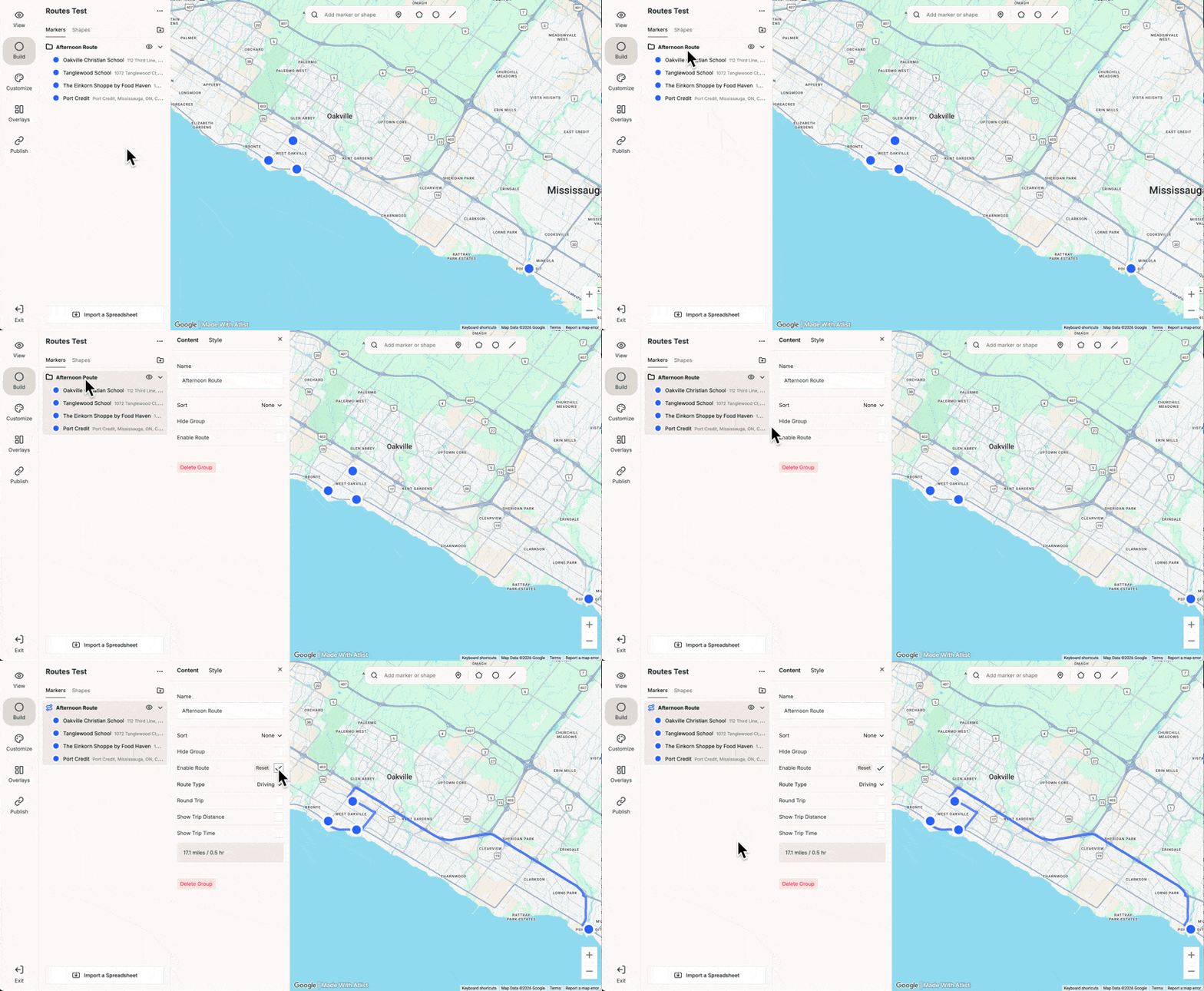
Click Enable Route on any group to create a route with stops at each marker:
You can also customize the style of routes. Just click the Style tab or go to Customize → Routes to set a default style for all routes.
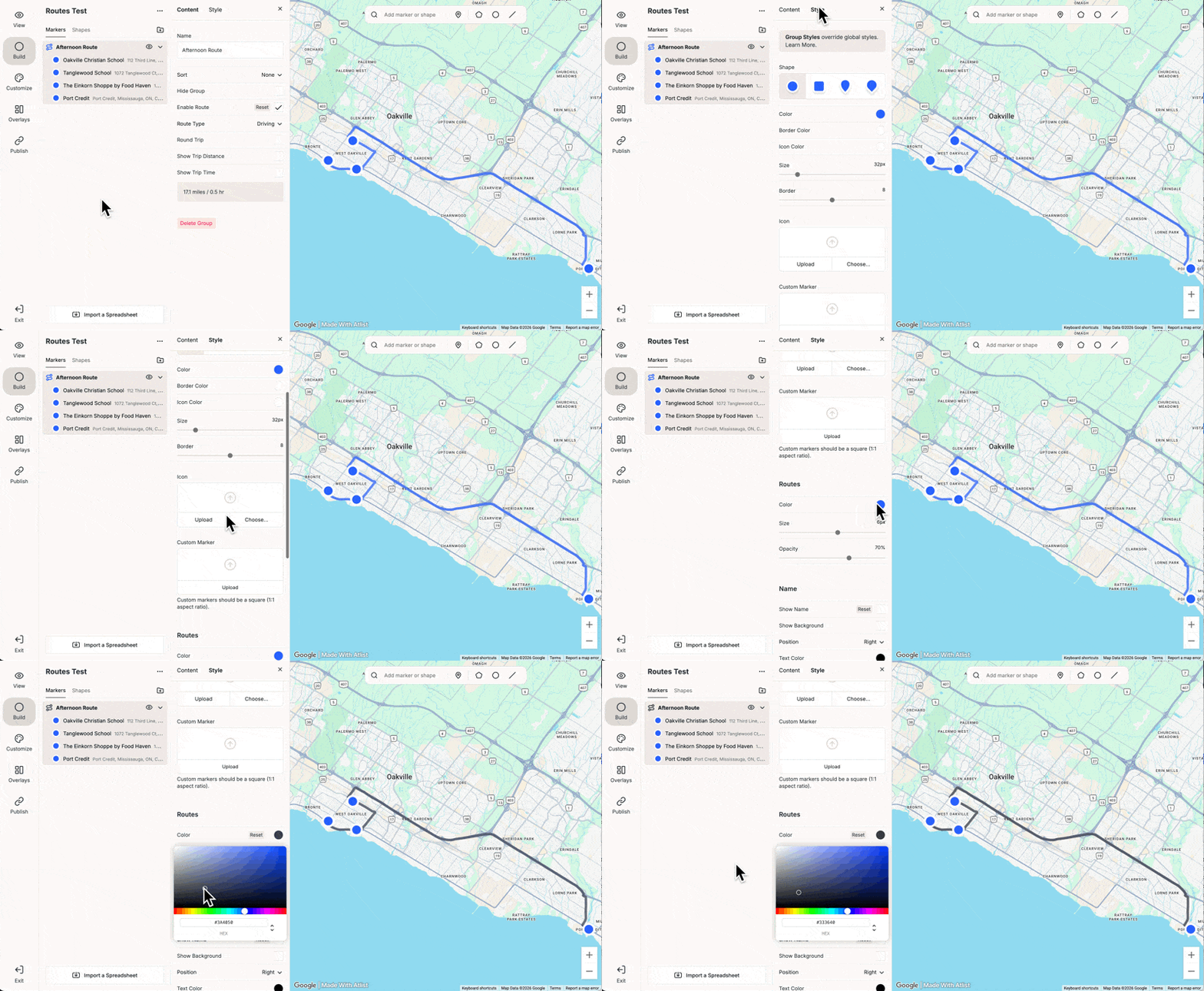
Here are some of the available options:

  • Round Trip — Return to your starting marker at the end of the route.
  • Type — Choose between driving directions or a direct (”as the crow flies”) route.
  • Show Distance & Time — Display the total distance and estimated travel time for the route in the List overlay.
  • Programmatic Icons — Automatically number your markers to show the order of each stop along the route.

Was this helpful? Send feedback.