New: Routes!
You can now create Routes in Atlist.
Jul 23, 2026

Steve Benjamins
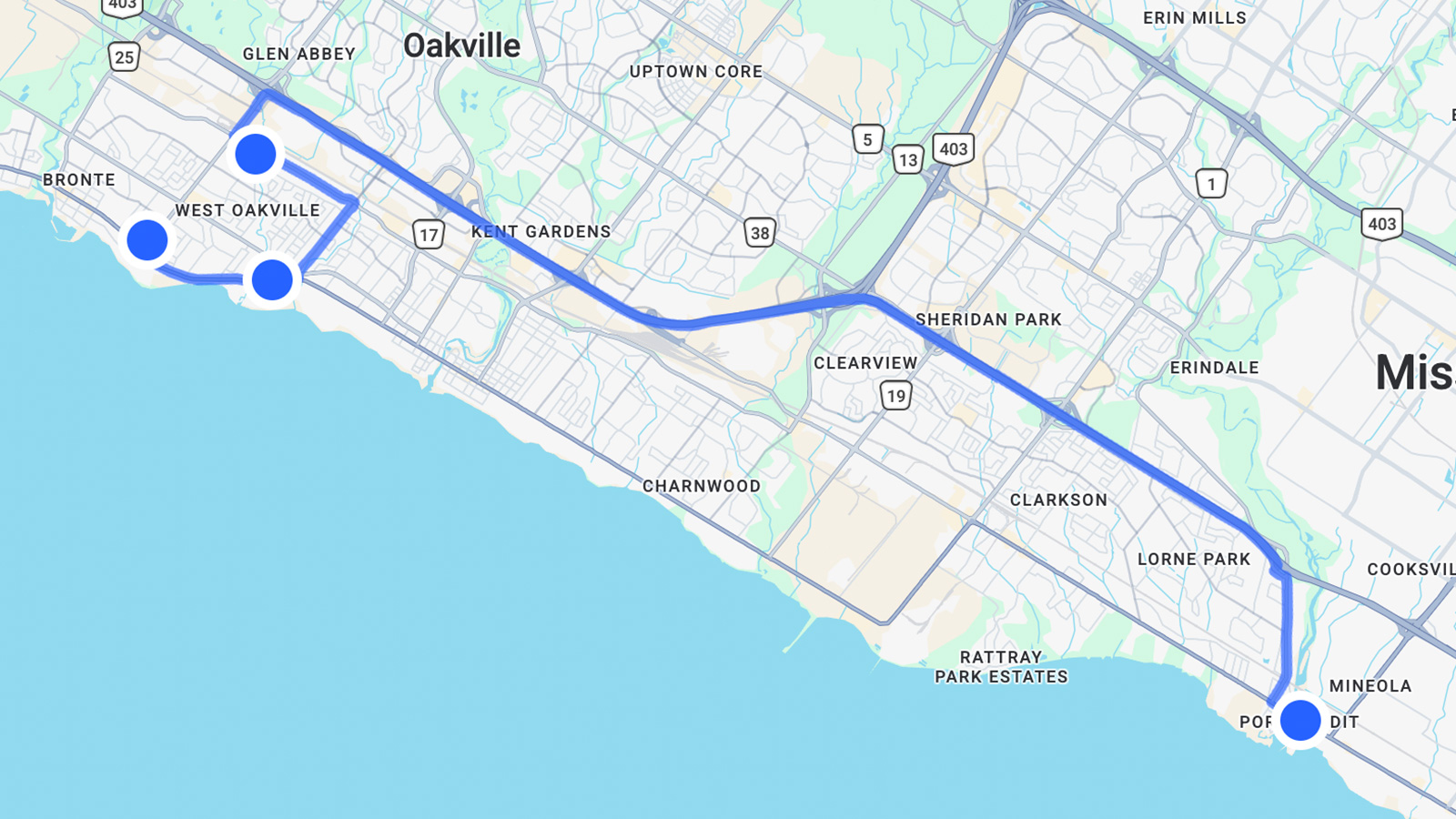
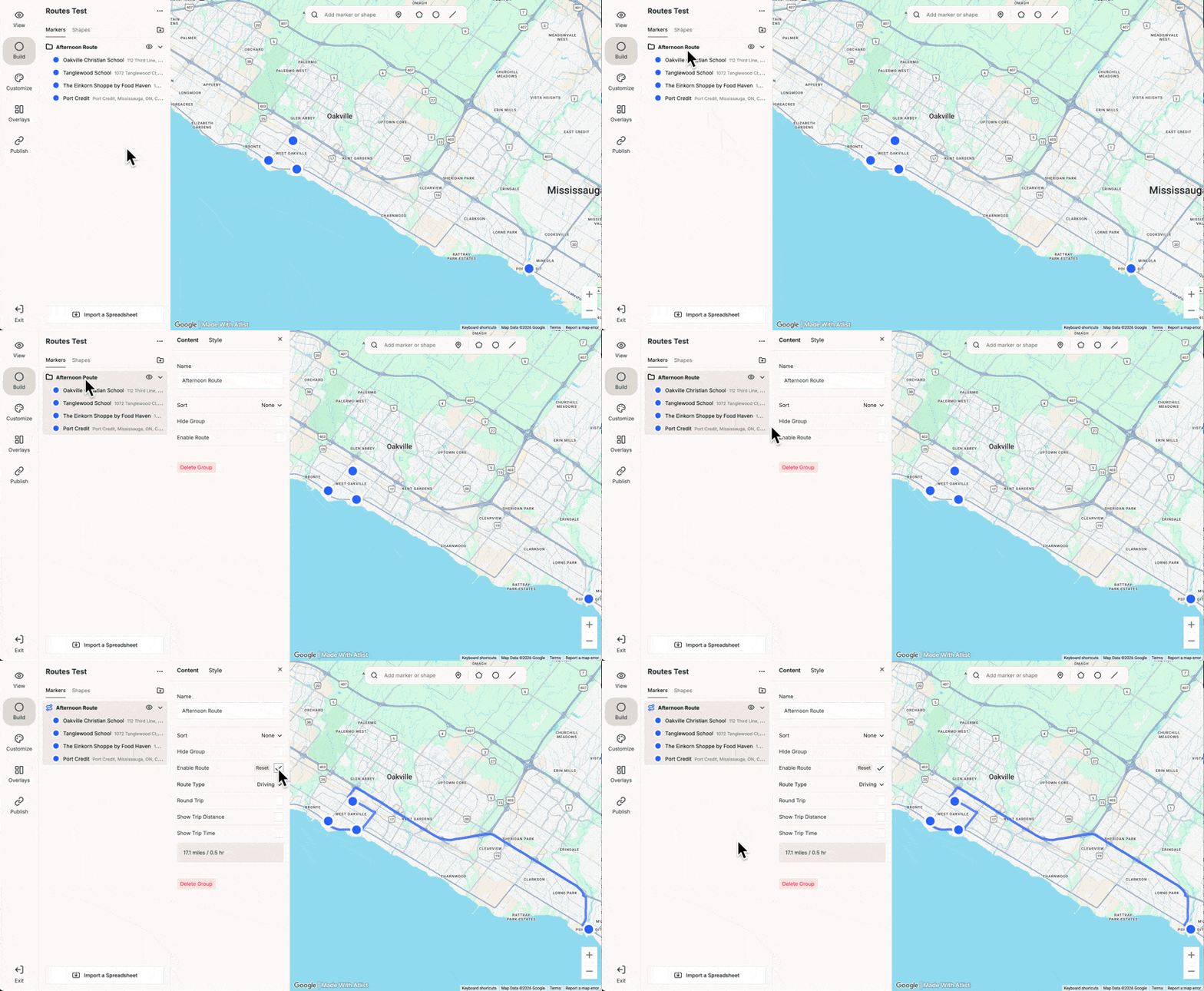
You can now create Routes in Atlist— just click Enable Route on any group to create a route with stops at each marker:
You can also customize the style of routes. Just click the Style tab or go to Customize → Routes to set a default style for all routes.
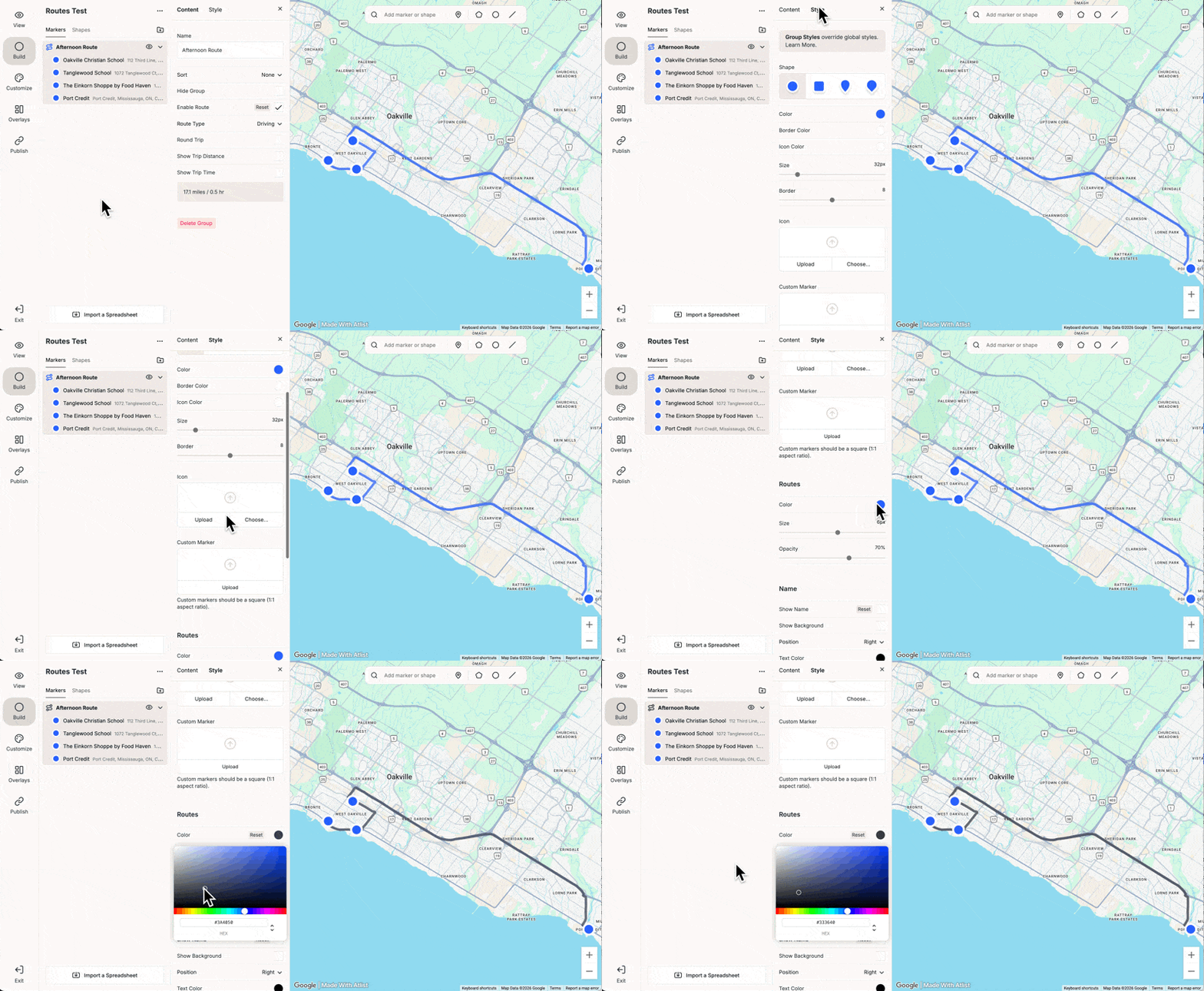
There are a few additional options for routes:
- Round Trip — Return to your starting marker at the end of the route.
- Type — Choose between driving directions or a direct (”as the crow flies”) route.
- Show Distance & Time — Display the total distance and estimated travel time for the route in the List overlay.
- Programmatic Icons — Automatically number markers to show the order of stops along the route. (Learn more)
Routes is only available on the Pro plan.
Bonus: Hide Groups
You can also now Hide Groups:

Hidden groups won't be visible to visitors on your published map. In the editor, hidden groups appear dimmed in the list, and their markers are hidden from the map.
This can be useful to temporarily remove a group or marker from your map while keeping it available for later.